Published post
Funny Educational Master Prompt for Khmer Kids 3D Animation
A structured master prompt for creating funny and educational 3D animated Khmer kids videos with daily-life settings, background sets, character prompts, and scene-by-scene production assets.
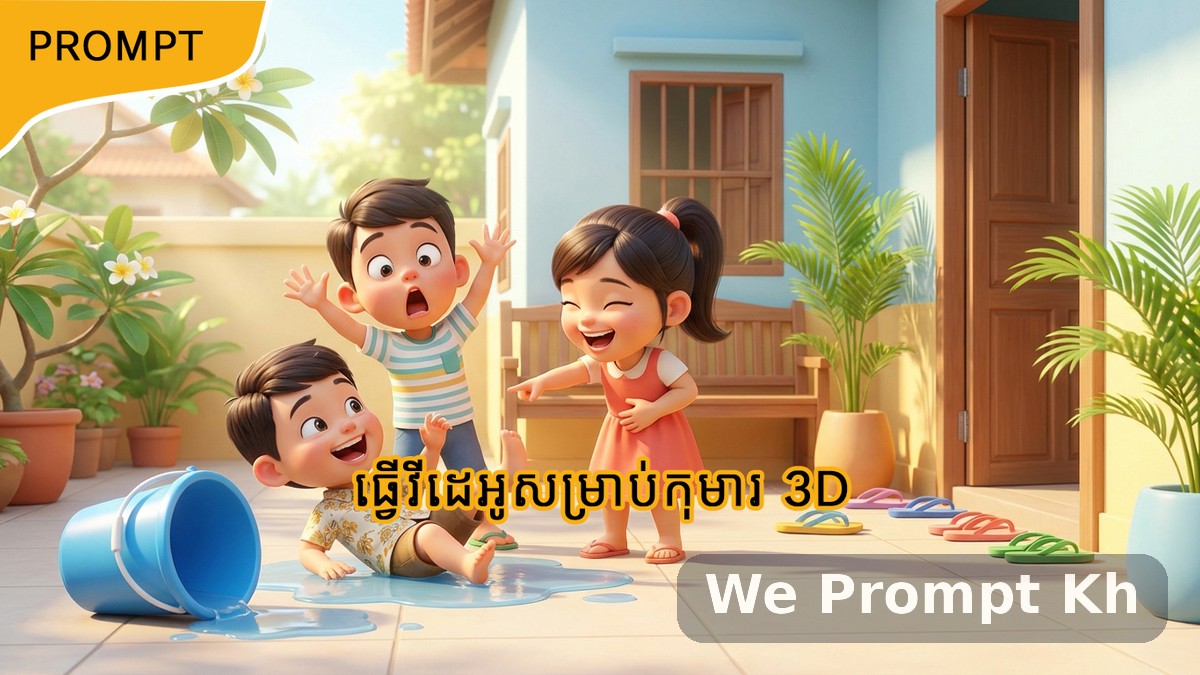
Creating children’s animation with AI becomes much easier when the prompt is structured clearly from the beginning. This funny educational master prompt is designed for creators who want to produce playful, visual, and meaningful 3D animated content for Khmer children using everyday Cambodian settings. It combines comedy, simple moral lessons, character design, background planning, and scene-by-scene production into one repeatable workflow.
One of the biggest strengths of this prompt is that it avoids school settings entirely. That makes it feel more original and more connected to ordinary family and community life. Instead of classrooms, the stories happen at home, in the local market, in the neighborhood, at the playground, near a temple or pagoda, or in a village community space. These places feel natural, familiar, and visually rich for child-friendly storytelling.
Why this prompt works well for children’s content
Children respond strongly to humor, repetition, exaggerated reactions, and visually clear cause-and-effect moments. This prompt is built around that idea. Every story begins with a silly or careless mistake. That mistake causes funny consequences. Then, after the laughter, the lesson becomes clear. This “funny first, lesson second” structure is one of the most effective ways to create educational entertainment for young audiences.
The educational themes are also practical and useful. Stories can focus on hygiene, manners, safety, responsibility, environmental care, or social behavior. Because the lesson comes through action rather than lecture, the content feels entertaining instead of strict.
What the prompt is designed to generate
This prompt is more than a story generator. It is a full production framework. It helps you move step by step from concept to usable AI assets. The workflow begins with funny topic generation and then expands into character design, environment prompts, and scene-specific storyboard prompts.
That makes it useful for creators using image generators, animation tools, storyboard workflows, or short-form video pipelines. It is especially practical if you want consistency across multiple scenes and reusable character/background assets.
Step 1: Finding funny topics
The first stage is focused only on idea generation. At this point, the goal is not to produce visuals yet. The prompt creates five different funny and relatable plot summaries for a short children’s animation. Each story must take place in a non-school daily-life setting and include modern Khmer children as the main characters. Optional adults such as parents, grandparents, or a shop owner can appear if they help the story.
Each concept includes five simple pieces of information:
- a catchy and funny title
- the educational goal or moral
- the setting
- the main characters
- a short funny plot summary
This is a good starting point because it helps creators compare multiple ideas quickly before moving into full production mode.
Step 2: Generating production assets
Once one story title is chosen, the prompt expands it into a full production package. This second stage is where the workflow becomes especially powerful. Instead of producing only one script, it creates all the key visual and narrative ingredients needed for an AI animation pipeline.
Global style definition
The prompt first defines the global style. The look is stylized 3D animation with a Pixar-inspired tone and a modern Cambodian daily-life atmosphere. Visual tags include soft 3D models, bright colors, expressive eyes, and cartoon comedy. This helps maintain visual consistency across the full story.
Character assets
For each character, the prompt generates a role, a defining trait, and a full-body 3D character image prompt. This is important because children’s content depends heavily on character clarity and emotional readability. A funny child who is clumsy, overly confident, shy, or mischievous is much easier to animate consistently when the design is prepared in advance.
Background sets
The prompt also creates “empty set” background prompts. This is one of the smartest parts of the workflow. Instead of generating characters and backgrounds all at once in every shot, it first defines the locations separately. For example, a messy kitchen, a village road, a local snack stand, or a temple courtyard can be rendered as a stand-alone environment with no characters. That gives much more control later when building scenes.
Each background set includes:
- a background ID
- a location name
- a detailed visual description
- a dedicated background prompt
This structure helps creators produce scenes that feel like part of the same world instead of disconnected AI images.
Scene assets
After characters and backgrounds are defined, the prompt generates the storyboard scene by scene. Every scene must reference one of the background IDs. That keeps the story visually organized and easier to animate. Each scene includes a funny title, the background reference, the characters present, a primary image prompt, an animation prompt, narration in Khmer, and Khmer character dialogue with English translation.
This makes the prompt highly production-ready. Instead of writing scenes in a vague way, it creates assets that can be used directly in image tools and video tools.
Why the daily-life setting matters
The daily-life setting is one of the most valuable creative choices in this prompt. Children are more likely to connect emotionally with places they already recognize. A Cambodian home, a small market, a neighborhood street, a playground, or a temple yard feels much more real and memorable than a generic fantasy space. It also makes the humor easier to understand because the silly mistake happens in a familiar situation.
This setting choice also gives your animation a clear local identity. That can help the content stand out from generic children’s animation and feel more culturally grounded.
Best use cases
- funny educational Khmer kids animations
- short-form moral stories for social media
- 3D storyboard planning for children’s content
- AI-assisted animation workflows
- family-friendly comedy with simple lessons
Final thought
If you want a prompt that helps you create children’s animation with local daily-life charm, visual comedy, and meaningful lessons, this is a strong and flexible system. It is useful not only because it generates funny ideas, but because it turns those ideas into a practical production plan. That makes it ideal for creators who want to move from concept to finished scenes more quickly while keeping the content playful, clear, and educational.
Copy-ready master prompt
MASTER PROMPT (FUNNY + EDUCATIONAL)
STEP 1: FIND FUNNY TOPICS
Act as a creative children’s comedy–education scriptwriter for 3D animated videos. Generate 5 distinct, funny, and relatable plot summaries suitable for a short animated educational video for children.
• Stories must happen only in daily life settings.
STORY REQUIREMENTS
- Tone: Funny, playful, exaggerated, visual comedy, silly mistakes.
- Allowed Settings (Choose ONE per story): Home, Local market, Street/neighborhood, Playground/park, Temple/pagoda area, Village community space.
- Characters: Modern Khmer children (primary-school age) + Optional adults (Parents, Grandparents, Shop owner).
- Educational Focus: Hygiene, Manners, Responsibility, Environment, Safety, or Social skills.
- Story Style: Simple, funny problem caused by bad behavior, humorous consequences, ends with learning.
For each idea, output:
- Title (funny and catchy)
- Main Educational Goal / Moral
- Setting (non-school only)
- Main Characters
- Brief Funny Plot Summary (2–4 sentences)
STEP 2: GENERATING PRODUCTION ASSETS (NON-SCHOOL) I have chosen the story titled [Insert Chosen Title Here]. Total Number of Scenes: [Insert Number of Scenes Here]. Based on its plot, generate the following production assets structured into Style, Characters, Background Sets, and Scenes.
STYLE DEFINITION (GLOBAL)
- Art Style: Stylized 3D animation, Pixar-style, modern Cambodian daily life.
- Visual Tags: Soft 3D models, bright colors, expressive eyes, cartoon comedy.
- Environment: Fully rendered worlds, depth of field, no empty voids.
For each character, provide:
- Name & Role
- Defining Trait
- 3D Image Prompt: Full-body 3D character render on a white background. Keywords: Khmer child, casual clothes, 3D render, Pixar style, cute, funny.
Identify the specific locations needed for this story. Generate a prompt for each "Set" so we can create the background without characters first.
BACKGROUND FORMAT (Repeat for each unique location)
- Background ID: [e.g., BG-01, BG-02]
- Location Name: [e.g., Messy Kitchen, Village Road]
- Visual Description: Detailed description of the furniture, lighting, props, and Cambodian context (e.g., wooden table, krama cloth, tropical plants).
- 3D Image Prompt (Empty Set)
- Write a prompt for a wide-angle shot of this location WITHOUT CHARACTERS.
- Focus on lighting, textures, and atmosphere.
- Keywords: 3D animation background, empty room/street, unreal engine 5 style, soft daylight, highly detailed.
Generate the storyboard script. You must link every scene to a Background ID above.
SCENE FORMAT (STRICT)
Scene [X]: [Funny Scene Title] • 📍 Background Reference: [Insert Background ID and Name, e.g., BG-01 Messy Kitchen] • 👥 Characters Present: [List Names]
1️⃣ Primary Image Prompt
- A cinematic 3D scene showing the character performing a funny action inside the specific background described in the Reference.
- Must Include:
- Action: The specific funny moment/reaction.
- Environment Integration: Explicitly mention elements from the Background Reference (e.g., "The boy trips over a broom on the wooden floor of the kitchen").
- Keywords: Modern Cambodia, daily life, 3D animation, [Insert Background Keywords], cartoon comedy.
- Action: Funny movement, clumsy behavior, overreaction.
- Camera: [Wide / Close-up / Eye-level]
- Friendly tone, simple Khmer, light humor.
- [Character Name]: Khmer dialogue
- (English translation)
- No school, no classroom.
- Every scene must explicitly state which Background ID it uses.
- Funny first, lesson second.
- No mention of age.